
Inquiries and follow-up
Quote Forms and Customer Inbox Tutorial
Test the public request path, collect useful customer details, and use the dashboard inbox to turn inquiries into owner-reviewed follow-up.
What you will learn
By the end, you should know how customer form submissions become dashboard records and how to use them without overpromising bookings.
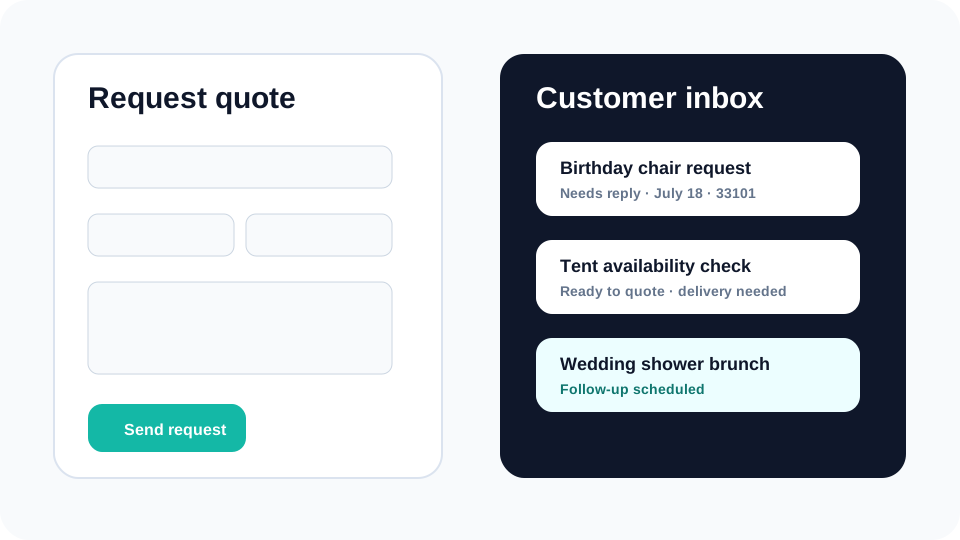
A rental form should reduce follow-up work, not create more confusion. The right form asks for details that actually change the owner’s response: event date, service area, item interest, guest count, delivery or pickup preference, contact information, and notes.
The customer inbox is where those public requests become owner work. Instead of hunting through email, texts, and sticky notes, the owner can review form type, customer details, quote context, follow-up status, and the next action from one dashboard area.
Step by step
Use this workflow in order
These steps are written for an owner or office team member trying to finish real work, with plain instructions and practical checkpoints.
- Test every public form Submit quote, availability, contact, tour, and event inquiry forms before launch so you know what the customer and owner both see.
- Check the saved dashboard record Confirm that event date, item interest, contact details, message, and consent context appear in the inbox.
- Use quote status carefully Keep draft, sent, approved, expired, and booked statuses clear so inquiries do not become accidental confirmations.
- Write follow-up from the missing detail If a request lacks delivery ZIP, setup surface, quantity, or event time, ask for that specific detail instead of sending a generic reply.
- Review old inquiries regularly Use the inbox to find leads that need follow-up, quotes that may expire, and customers waiting on owner review.
Workflow map
What to look for inside Eventodesk
Quote request
Collect rental interest, date, service area, and customer contact details.
Availability request
Ask whether a date or window may work before treating it as booked.
Contact form
Keep general questions separate from event-ready requests.
Inbox status
Track what needs reply, what is quoted, and what is booked.
Quote preview
Prepare cleaner customer-facing quote context from the saved request.
Why it helps the business
Business value
- Better forms reduce back-and-forth and help owners reply with context.
- Saved inquiries protect against lost leads when email or phone follow-up gets busy.
- Owner-reviewed status keeps the site modern without pretending every request is confirmed.
Avoid these mistakes
Common problems
- Only asking for name and phone number, then doing all qualification manually.
- Making the form feel like instant checkout when the business still needs review.
- Never testing the customer confirmation message before advertising the site.
Start here
Make every inquiry easier to answer.
Use Eventodesk forms and the customer inbox to collect better details, follow up faster, and keep final confirmation under owner control.
Related Eventodesk pages
Use these pages to connect the tutorial workflow to product value and conversion.
Plan the next step
Use these pages when you are deciding whether Eventodesk fits your rental business.