
AI assistant
Eventodesk AI Assistant Tutorial
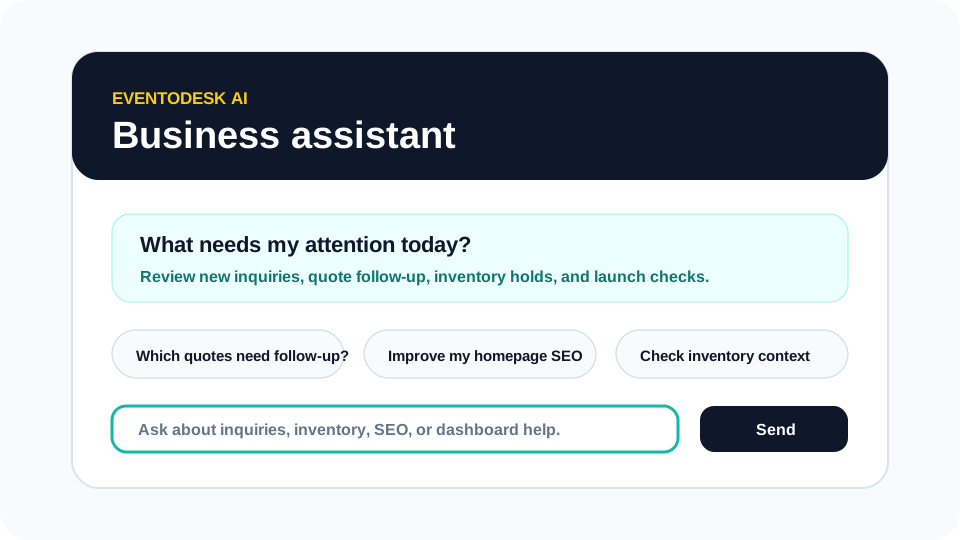
Use Eventodesk AI as a business assistant for priorities, quote follow-up, inventory context, content drafts, SEO ideas, and dashboard help while keeping owner decisions in control.
What you will learn
By the end, you should know what to ask Eventodesk AI, where it is useful, and where the owner should still make the final decision.
Eventodesk AI is useful because it sits close to the rental workflow. It is not a random chatbot bolted onto the site. It is meant to help owners think through inquiries, follow-up, inventory, SEO, content drafts, and dashboard questions while they are already working inside Eventodesk.
The safest way to use AI in a rental business is to treat it as an assistant, not an automatic operator. It can recommend, summarize, explain, and draft. It should not secretly confirm bookings, publish pages, send emails, change billing, or make promises that still require owner review.
Step by step
Use this workflow in order
These steps are written for an owner or office team member trying to finish real work, with plain instructions and practical checkpoints.
- Start with a practical question Ask what needs attention today, which quotes need follow-up, or what page should be improved before launch.
- Use it to clarify missing details Ask what information is missing before responding to a quote request, such as delivery ZIP, event time, guest count, or setup surface.
- Ask for content help near the page you are editing Use the assistant for service descriptions, FAQs, homepage improvements, article outlines, and SEO-friendly plain language.
- Review inventory context before promising dates Use AI to help you think through what to check, then confirm against dashboard records before replying to customers.
- Edit everything before using it AI drafts should sound like the business. Remove unsupported claims, fake proof, and any language that promises more than the business can deliver.
Workflow map
What to look for inside Eventodesk
Daily priorities
Ask where to focus when the dashboard has several possible next steps.
Quote follow-up
Draft clearer replies based on missing event details.
Inventory context
Review what the owner should check before promising an item or date.
SEO and content
Improve page copy, FAQs, and article ideas without keyword stuffing.
Dashboard help
Ask how to use an Eventodesk workflow when a screen is unfamiliar.
Why it helps the business
Business value
- Owners can move faster without copying business details into a separate writing tool.
- AI helps create clearer customer communication while keeping final decisions human.
- Better content and follow-up can improve conversion because the owner responds with more useful context.
Avoid these mistakes
Common problems
- Asking AI to promise availability before checking reservations, service area, and delivery capacity.
- Publishing AI-generated copy without adding real photos, service areas, and owner-specific details.
- Treating the assistant as a replacement for business judgment.
Start here
Use AI to move faster without losing control.
Eventodesk AI helps with drafts, recommendations, and dashboard guidance while the owner keeps final booking, publishing, and billing decisions.
Related Eventodesk pages
Use these pages to connect the tutorial workflow to product value and conversion.
Plan the next step
Use these pages when you are deciding whether Eventodesk fits your rental business.