
Website content
Business Profile and Homepage Content Tutorial
Set up the identity details customers need first: who the business is, where it serves, what it rents, how quotes work, and why visitors can trust the company.
What you will learn
By the end, you should be able to turn the profile and homepage from generic copy into a useful first impression for rental customers.
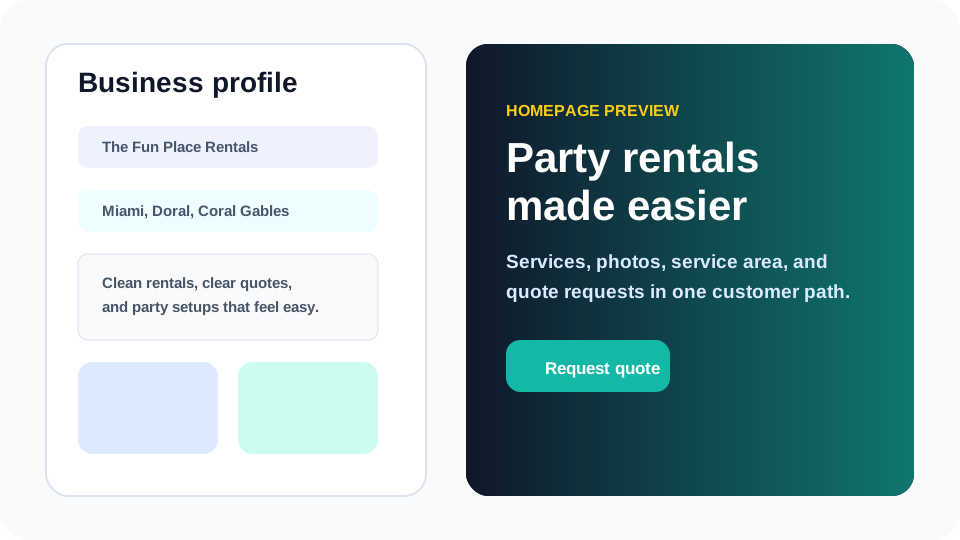
The business profile is not just an account settings page. It feeds the credibility layer of the public website: business name, intro copy, phone number, service area, images, and the basic promise customers see before deciding whether to request a quote.
A strong party rental homepage answers practical questions quickly. Visitors want to know what you rent, where you deliver, what kind of events you handle, whether photos look real, and what happens after they submit a request. The profile and homepage sections are where those answers start.
Step by step
Use this workflow in order
These steps are written for an owner or office team member trying to finish real work, with plain instructions and practical checkpoints.
- Confirm the business identity Use the public-facing business name, phone number, service description, and service-area language customers already recognize.
- Write the homepage intro in plain language Avoid clever slogans that hide the service. Say what the business rents, who it helps, and how quote requests are reviewed.
- Add images that prove the business is real Use horizontal images with clean subjects: finished setups, rental items, warehouse preparation, or team context.
- Explain service area without overpromising Use city, ZIP, neighborhood, or venue-area language that matches how the business actually delivers.
- Preview the homepage on mobile Most customers will scan the site on a phone, so test the hero, CTA buttons, service cards, and footer contact details at a narrow width.
Workflow map
What to look for inside Eventodesk
Name and intro
Use customer-facing language instead of internal shorthand.
Service area
Tell customers where delivery or pickup is realistic before they submit.
Identity images
Use sharp, business-owned visuals that do not feel like stock inspiration.
Homepage CTA
Send visitors toward quote, availability, contact, or booking-detail paths.
Footer contact
Make phone, address, legal links, and powered-by attribution easy to inspect.
Why it helps the business
Business value
- Clear profile content makes the site feel more legitimate in the first few seconds.
- Service-area clarity reduces out-of-area inquiries and awkward follow-up.
- Better homepage language improves conversion because customers understand the next step.
Avoid these mistakes
Common problems
- Writing a homepage that says the business is reliable but never explains what it rents.
- Using a beautiful photo that does not show actual rental work or inventory.
- Forgetting to test how the hero headline, buttons, and phone number look on mobile.
Start here
Make the homepage answer the customer’s first questions.
Use Eventodesk profile and homepage fields to create a clear first impression before spending time on smaller design details.
Related Eventodesk pages
Use these pages to connect the tutorial workflow to product value and conversion.
Plan the next step
Use these pages when you are deciding whether Eventodesk fits your rental business.