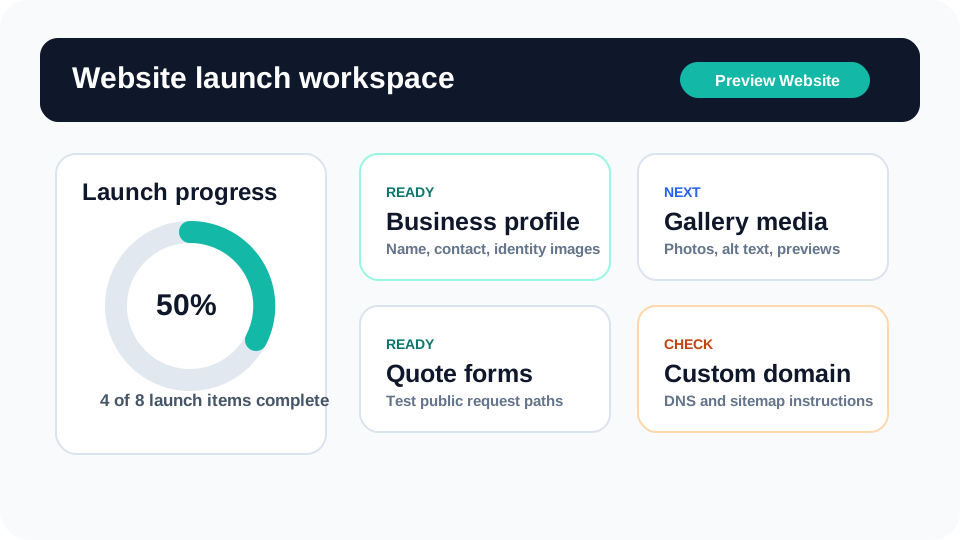
Eventodesk now has a dedicated tutorial hub for the parts of the platform rental owners ask about most: launching the website, completing the business profile, choosing templates, adding services and inventory, testing quote forms, using Eventodesk AI, and checking inventory conflicts before promising a date.
The goal is not to create another help center full of tiny disconnected answers. These tutorials are built as practical owner workflows. Each one explains what the section does, why it matters for customer trust, how to use it in the right order, what mistakes to avoid, and how that work supports conversion.
Why tutorials matter for rental owners
Party and event rental owners are usually not shopping for software because they want more screens. They want fewer missed quotes, clearer websites, better photos, safer inventory decisions, and a faster way to get from customer interest to owner-reviewed follow-up. A tutorial should respect that by showing the task, the reason, and the next step in plain language.
That is why the new tutorial hub is organized around workflows instead of internal product labels. A launch tutorial shows how to finish the site. A profile tutorial shows how to make the homepage credible. A catalog tutorial shows how services and inventory work together. A forms tutorial shows how public requests become dashboard records. The AI and inventory tool tutorials show where the platform can save time without taking control away from the owner.
The tutorials are designed to help conversion, not just support
Good tutorial content can increase conversion because it lowers uncertainty. A buyer can see that Eventodesk is not only a website builder and not only an inventory list. It is a guided workspace for the common rental business path: show what you rent, collect useful requests, review inventory, protect availability, and follow up professionally.
The tutorials also help new accounts see value faster. Instead of logging in and wondering where to start, an owner can follow the launch workspace, complete the profile, choose a template, add realistic media, build services, add catalog items, test forms, and use AI for the next best move. That makes onboarding calmer and reduces the chance that a trial account sits unfinished.
What to read first
Owners preparing a first launch should start with the Dashboard Launch Workspace Tutorial. It explains how to think about the whole account before jumping into individual pages. After that, the Business Profile and Homepage Content Tutorial is the best next step because it helps the public site answer the visitor’s first questions.
Owners who already have a basic site should move into Templates, Gallery, and Media, then Services, Rental Catalog, and Inventory. Those tutorials improve the parts customers inspect before requesting a quote. Finally, Quote Forms and Customer Inbox helps test the request path, while Eventodesk AI and Inventory Schedule tutorials show how daily operations can become faster and safer.
The bigger product direction
The tutorial hub is part of a broader Eventodesk direction: make the product easier to sell by making it easier to understand. Rental owners need to see the connection between the public website and the dashboard work behind it. Customers browse pages and submit requests, but owners still have to review dates, delivery, deposits, inventory, and follow-up before treating the job as confirmed.
Eventodesk is strongest when that connection is clear. The website creates the customer path. The dashboard organizes the work. The AI assistant helps with drafts and next steps. The inventory schedule protects the business from risky promises. The tutorials explain that full loop so buyers can understand the value before they even start a trial.